One tab, many tiles
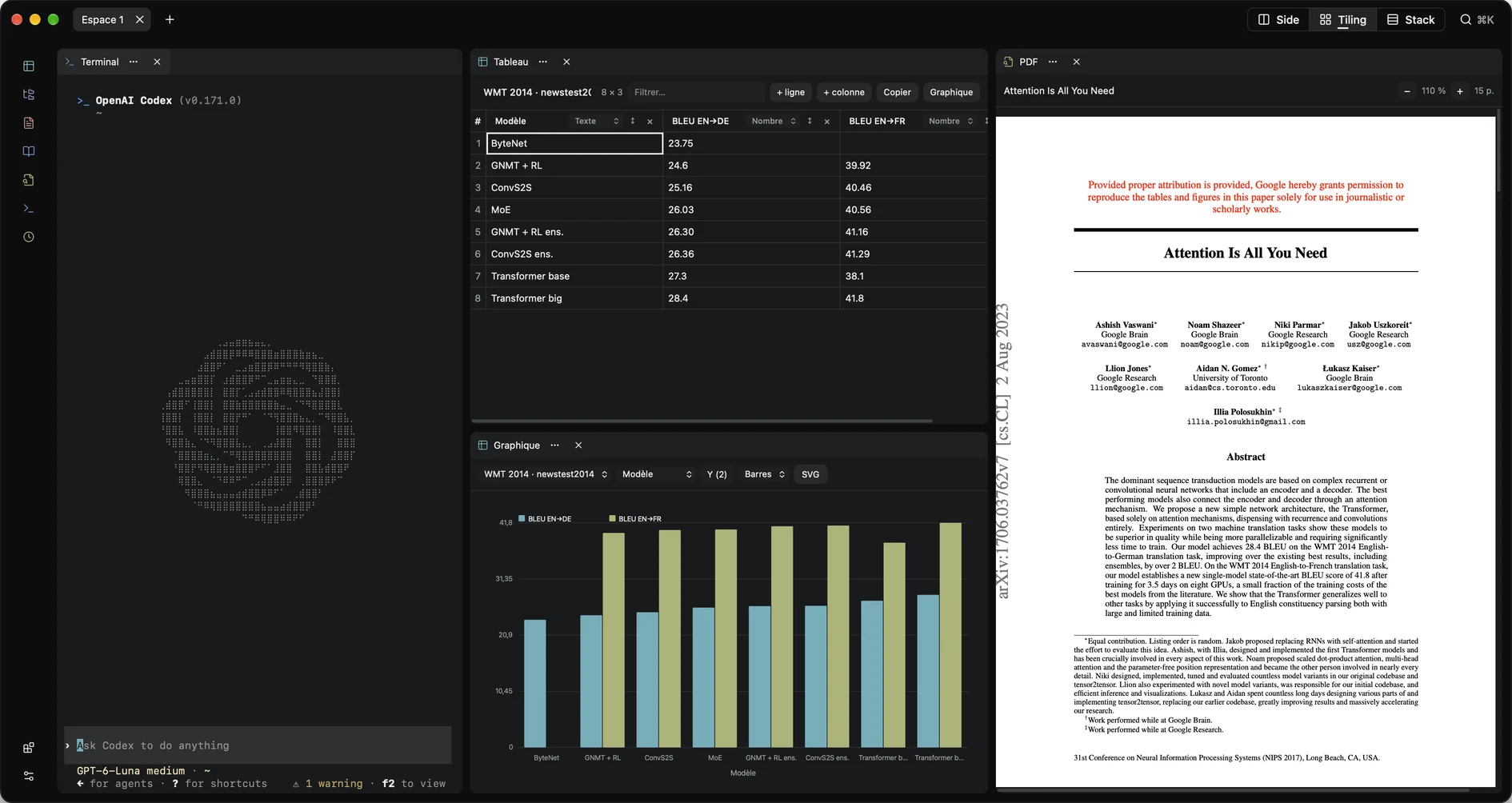
A terminal, a PDF, a table and a chart, split and grouped. Each tile keeps its own state, and a terminal keeps its session.
Agentic Workspace Environment · macOS
Spark is a desktop workspace built around tabs. Terminals, files, PDFs, tables and agents live side by side in one window — and share the same objects.
AWE
Most agent tools put the conversation in the middle and the work at the edges. Spark does the opposite: the workspace is the surface, and the agent plugs into it.
A terminal, a PDF, a table and a chart, split and grouped. Each tile keeps its own state, and a terminal keeps its session.
An agent opens a tile, reads its declared state and calls typed actions. It never scrapes the screen or fakes a click.
The MCP bridge is a Unix socket with 0600 permissions. No network port, no account, no cloud relay.
Product
Six tiles, one workspace. Everything below ships in the app today, not in a roadmap.
A real PTY session per tile. It survives layout changes and tab switches, and restarts fresh after a launch.
A folder tree that opens a file in Markdown or a shell in the right directory, for you and for agents.
Editor and preview over the same document, with line-addressed actions so an agent edits precisely.
An https link is fetched and cached. The content stays out of MCP: agents only see the title and page count.
Typed tables — text, number, date — up to 2,000 rows and 32 columns, with charts bound to the table itself.
Search by topic, author or DOI, read a work's fields, and open its free PDF beside your notes.
MCP
Spark speaks the Model Context Protocol over a local socket. Fifteen tools, one server, and a bridge that is already in the bundle.
No screenshot parsing, no computer-use heuristics. The agent calls the app, and the app answers with references and summaries.
The MCP server lives inside the app, behind a Unix socket with 0600 permissions. The bundled spark-mcp binary relays a client's stdio to it.
spark_brief returns the tab, its tiles and their surfaces. spark_tile_read adds the data and the actions that tile accepts right now.
spark_tile_open creates a tile, spark_tile_call runs a typed action, spark_tile_move and spark_tile_resize arrange the tab.
Any action that changes data is flagged mutates and executed; asking for confirmation is the client's job. Tabs an agent opens stay in the background.
Interaction
The layout is a direct manipulation surface. No presets, no layout dialog — just the gesture you would expect, and a history that covers agents too.
The same moves exist as two MCP tools: spark_tile_move and spark_tile_resize.
Extensions
The app is built from tiles: terminal, Markdown, PDF, data, OpenAlex. The Store adds the rest.
The Store lists what is available, what is installed, and which registry each one comes from.
One click. The zip is checked before extraction; a failure leaves the previous version in place.
A local folder, in developer mode. Nothing updates on its own.
Imported extensions run in the main window with the app's privileges, and no signature is verified today. Spark treats them as code you chose to trust — install what you would run from a terminal.
Status
A short honest list beats a feature grid. This is the state of the repository today.
Start
The only installation path today is the source. It takes Node 22.18+, Rust and the Xcode command line tools.
git clone https://github.com/nnnnnzo/sparkawe.git
cd sparkawe && npm install
npm run sidecar
npm run tauri -- dev